Microsoft Virtual Earth 3D doesn’t yet run in a Mac OS X browser. Until recently, your only option was to install a copy of Windows on a different partition using Apple’s Bootcamp tool, and boot into it. I used to try new versions of the Parallels Desktop for Mac virtualization tool to see if they had added support for VE3D, but all I got for my efforts were very hard crashes, not just of Windows but of the entire machine.
Sometime in the last few months, however, competitor VMWare came out with an update of their virtualization tool for Mac, Fusion, that does support VE3D. Here’s a screenshot from this morning when giving it another go:
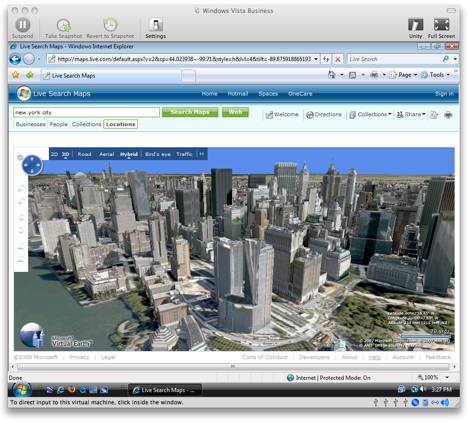
it only works when Windows applications are grouped together in one window, but it does work, and this makes it less of a hassle for Mac users like me to check up on this virtual globe’s progress. (Make sure to turn on the “Accelerate 3D graphics” option in the settings.)
When choosing between BootCamp and VMWare, Parallels is the best answer because of its ease of use.